June 26, 2021

Description
Support on print table only!
As I couldn't find any Design to put BLTouch on my printer I simply decided to create it myself.
I made it for my Anet ET5x but I believe that every one with a level sensor supports this design. As I don't have much knowledge of modeling I did it in Tinkercad.
First of all, read this project and understand how it works: https://github.com/davidtgbe/Marlin/blob/bugfix-2.0.x/docs/Tutorials/bltouch-en.md
Don't forget to leave the piece I created already printed before starting to make it if you don't have another accessible 3D printer, which was my case. Just in case print twice.
After reading and understanding how it works and what it should do, I will say in my words how I did it.
Remember that your printer must have the Bootloader 'unlocked' and you must have a minimum knowledge of the Marlin firmware, follow the link to all documentation: https://github.com/davidtgbe/openblt
This should help: youtu.be/qPDBNBgdW6o
Bearing in mind that you have already done this and your firmware is already configured correctly for your Anet ETx model, let's get down to business.
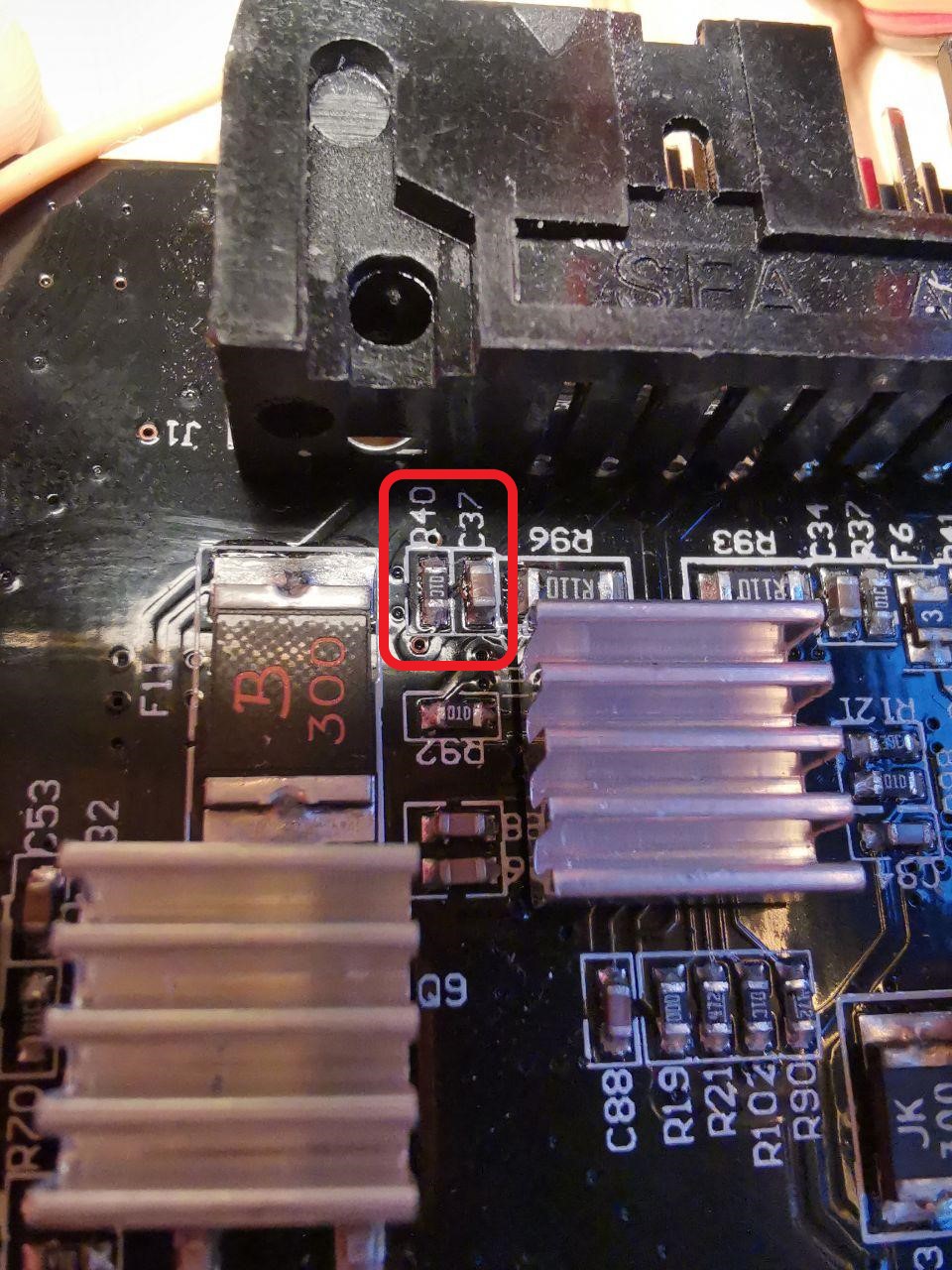
First, I removed the two components from the motherboard that the documentation specifies and closed the printer:
https://raw.githubusercontent.com/davidtgbe/Marlin/bugfix-2.0.x/docs/Tutorials/media/mb-with-cr.jpg
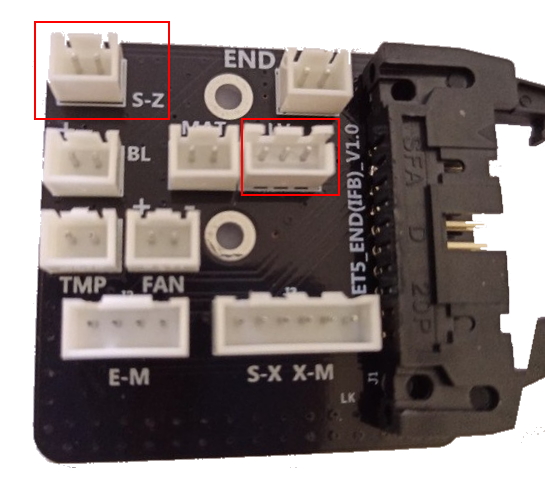
I solder a new connector (JST connector on S-Z) that doesn't come because it isn't used, as the printer comes with a level sensor.
https://raw.githubusercontent.com/davidtgbe/Marlin/bugfix-2.0.x/docs/Tutorials/media/adapter-board-et5.jpg
As you've already seen in the project, you need to use a Step-Down to transform 24v to 5v, I used pins 4/16 and 2/14 of the connectors board directly in Step-Down and Step-Down for GND and VCC from BLTouch and pin 3 straight to BLTouch, I didn't use the Y cable that the project mentions, I didn't think it was necessary. Basically I made a cable with Step-Down in the wiring. The pinout documentation is in the mentioned project. https://raw.githubusercontent.com/davidtgbe/Marlin/bugfix-2.0.x/docs/Tutorials/media/adapter-board-et5.jpg
I fixed my Step-Down with a plastic clamp using a case I got here at Thingiverse, you can see how it looks in the pictures below, the model was this: https://www.thingiverse.com/thing:1625233
After making the 3-pin connector cable part, solder a JST 2-pin connector to connect the BLTouch to the S-Z connection following the documentation
Now install the BLTouch with the 3D model I created, use the springs that come with the BLTouch to be able to adjust if it is too far from the bed. When installing the bracket, the screw will probably not screw at first, as it has no thread, to screw it I heated the tip of the screw with a lighter and slowly screwed it in, without deforming the hole, just making the thread, do it carefully and slowly so as not to spoil the piece, if you do this, everything will be fine.
After installing everything, connecting the cables, checking the connections so as not to damage anything and using the Step-Down case not to touch any iron and damage your printer, it's time to edit the Firmware.
In the BLTouch documentation it asks to edit certain things that are actually not well specified, there are things missing. I'll let the code follow everything I edited for BL Touch to work correctly. The code is at the end of the description page.
After writing the firmware, raise the Z and do the homing, use your finger on the BLTouch to test, as we don't want to have any problems.
Calibrate the Z Offset like any other sensor.
Now take a picture and post how it looks! <3
CODE: I put the code in the .TXT file
Source:
https://github.com/davidtgbe/Marlin/blob/bugfix-2.0.x/docs/Tutorials/bltouch-en.md
https://www.mundoanet.es/search/label/BlTouch
License:
Creative Commons - Attribution - Non-Commercial




 Marzochi